From qube's settings
From qube's settings
Open qube’s settings
You can install software in any qube type.
Open the qube’s settings and go to the Applications tab.
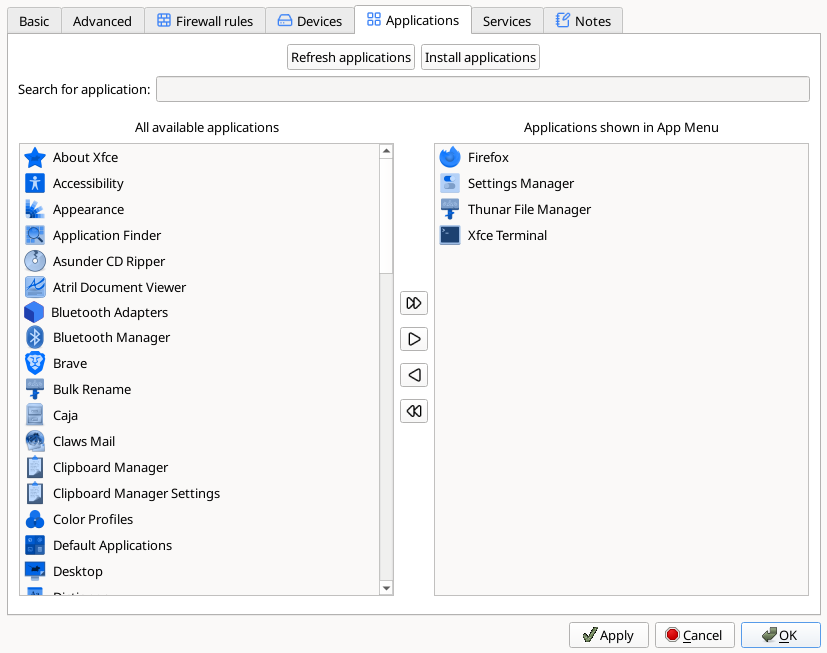
Click the “Install applications” button

When pressed, the button automatically launches the software manager in the respective template.

Warning
If Gnome Software is not installed, the “Install applications” button can’t be pressed. 
Use the software manager
You can use the software manager to search, install or remove any app that is in the template distribution repositories or Flatpak remotes.
When you’re done, close the software manager
When you close the software manager window, your applications are automatically refreshed in the qube’s settings and you find your new apps in “All available applications”.
Restart all qubes based on the template
Add your apps to the App Menu
Select your installed apps and use the arrows to show them in the App Menu.